Coming Soon to Ireland  ·  Live in a working kitchen now

Tickets in. Chaos out.

RAIL KDS turns your till's kitchen docket into a live board for the grill, the fryer, the dessert station and the pass, then shows the owner how the night really went.

Coming soon. Now in live use in a working kitchen. Early access list open.

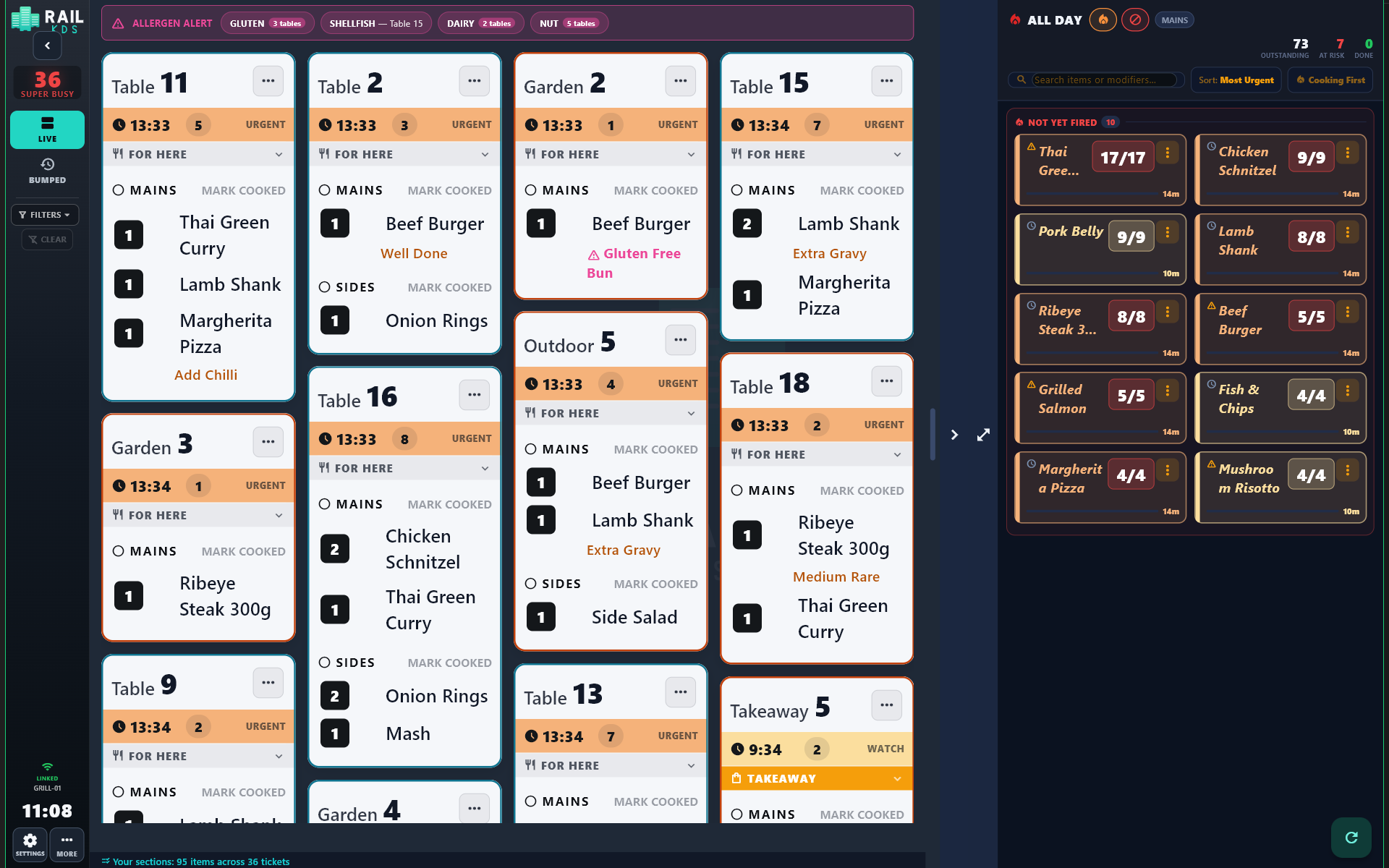
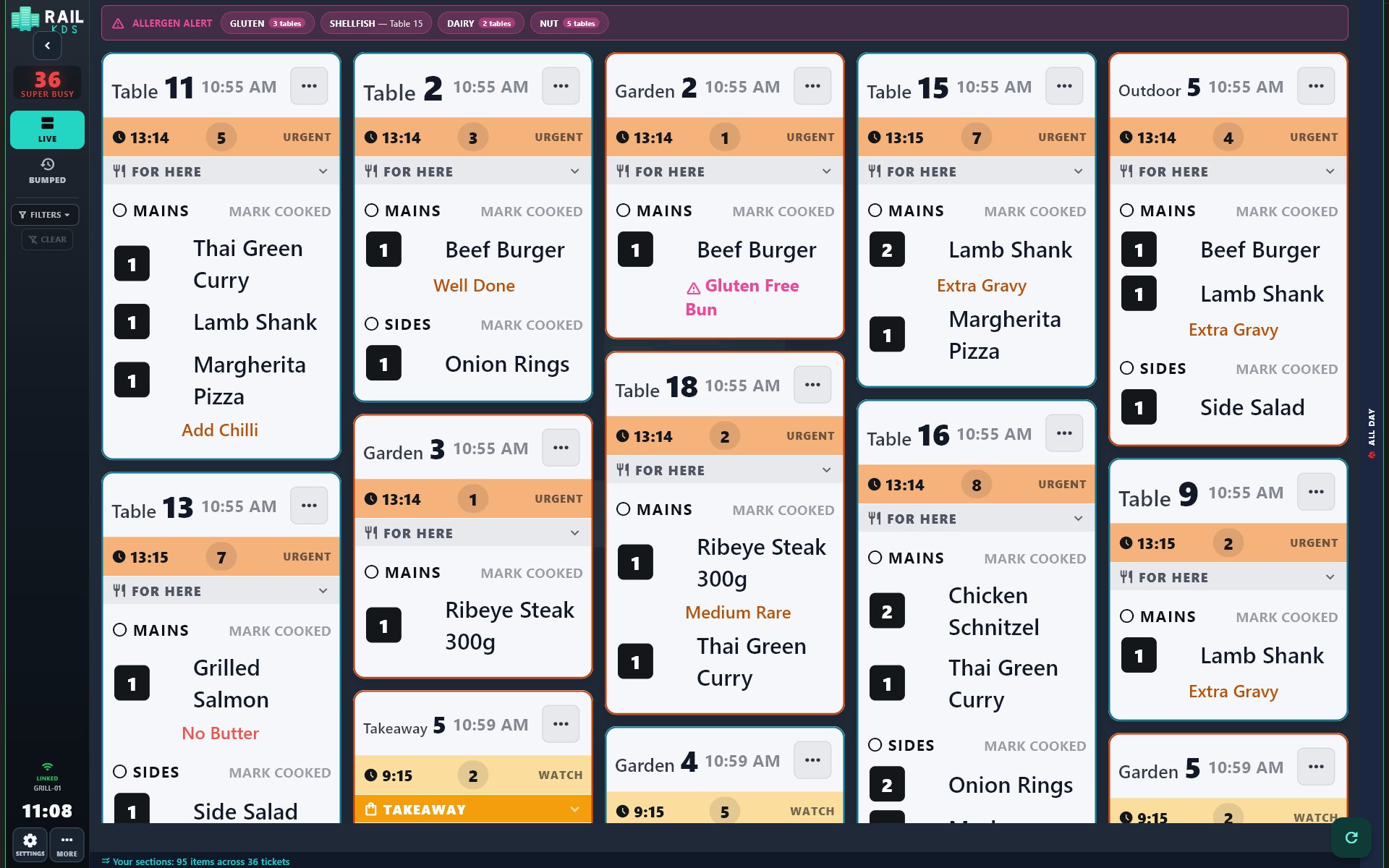
RAIL KDS grill screen showing tickets for tables, outdoor and garden seats with colour-coded timers
Every ticket, every timer.
Irish owned. Irish made.Built in a working kitchen, for working kitchens.

Watch it work

Real screens, real service flow — recorded from a live RAIL KDS setup. No music, no mock-ups. Click a clip to enlarge.

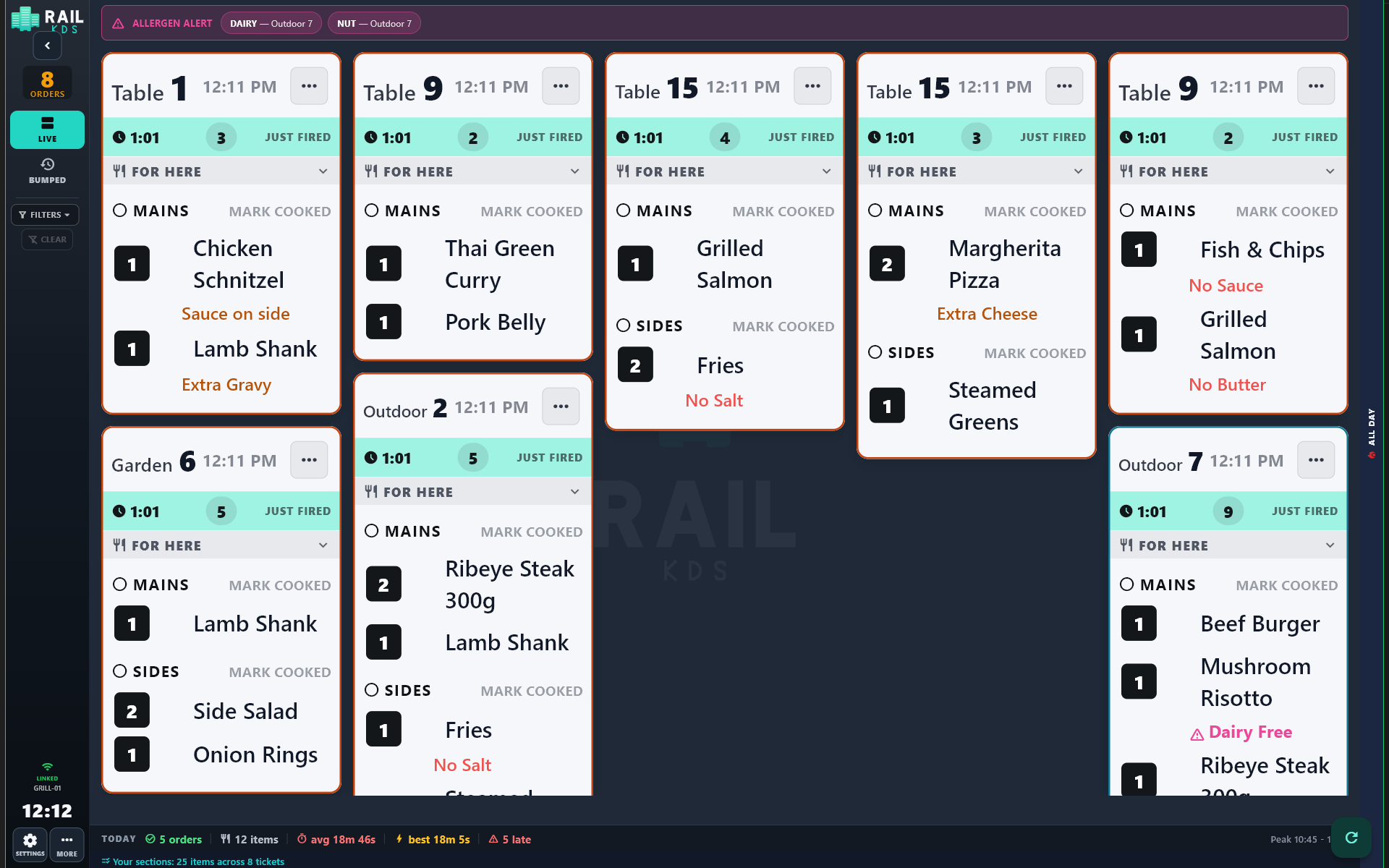
Animation of kitchen dockets arriving on the grill screen with an allergen banner

"The till prints. RAIL shows."

Dockets arrive on the grill, allergen banner up top.
Animation of courses being marked cooked on stations and raised on the pass Ready Board

"From station to pass, live."

Marked cooked — the Ready Board raises the course.
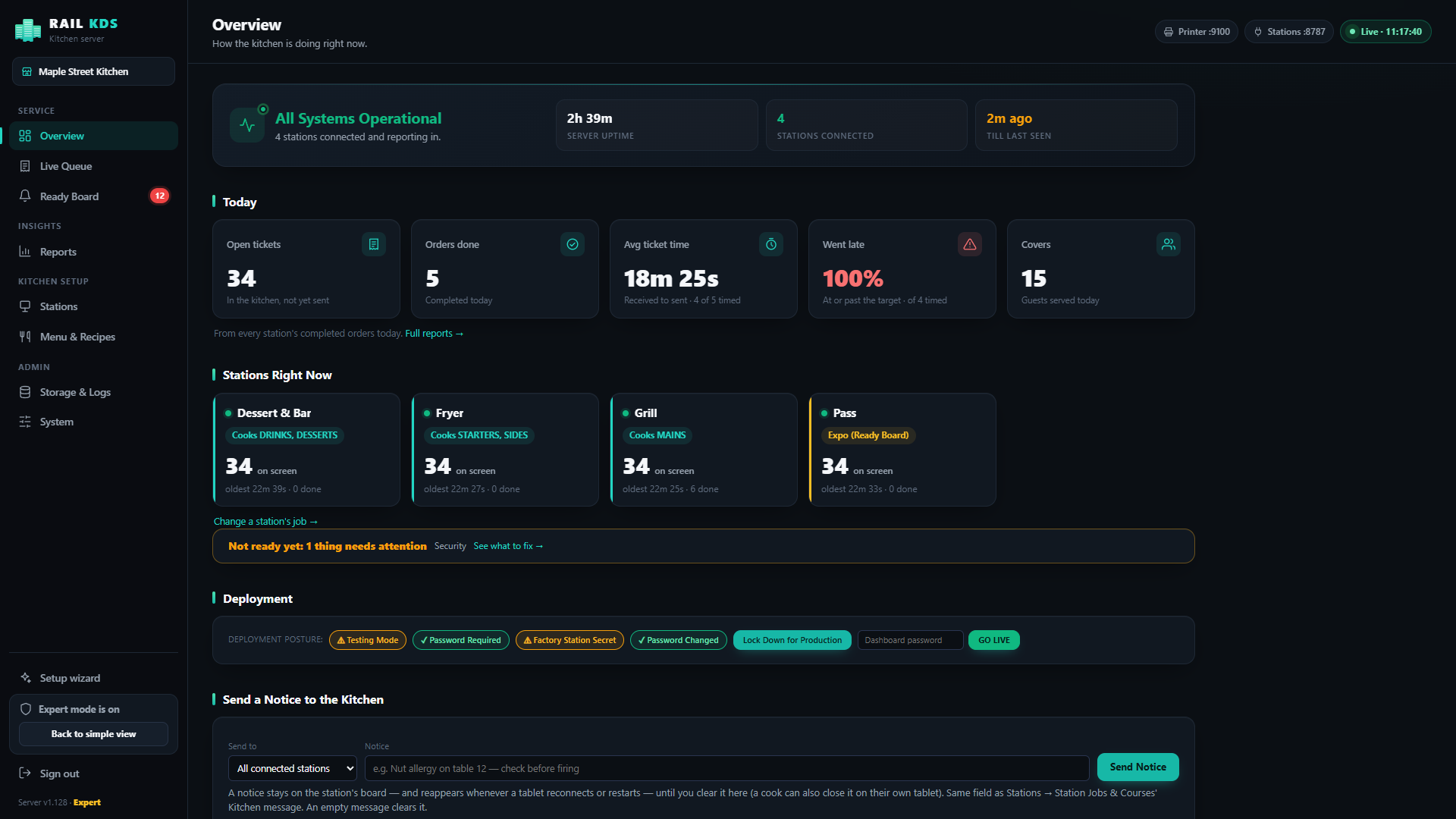
Animation sweeping across the RAIL KDS dashboard overview, stations and reports

"The owner's view."

Overview, stations and reports. Demo data shown.

How it works

No new till. No cloud. Your kitchen printer's job, done properly.

1

Your till prints the kitchen docket

RAIL sits where the kitchen printer sits and receives the docket over your local network, like a network printer.

2

RAIL reads it

Every ticket lands on the right screens in a second, split by course and by station.

3

Cooks tick and bump

The pass sees progress live. The owner sees the numbers.

Till→ RAIL server (one PC)→ Kitchen tablets→ Dashboard & phone

What your kitchen gets

Built from the product's own manual — every claim here is something RAIL KDS does today.

The board

Every ticket, every timer, no squinting.

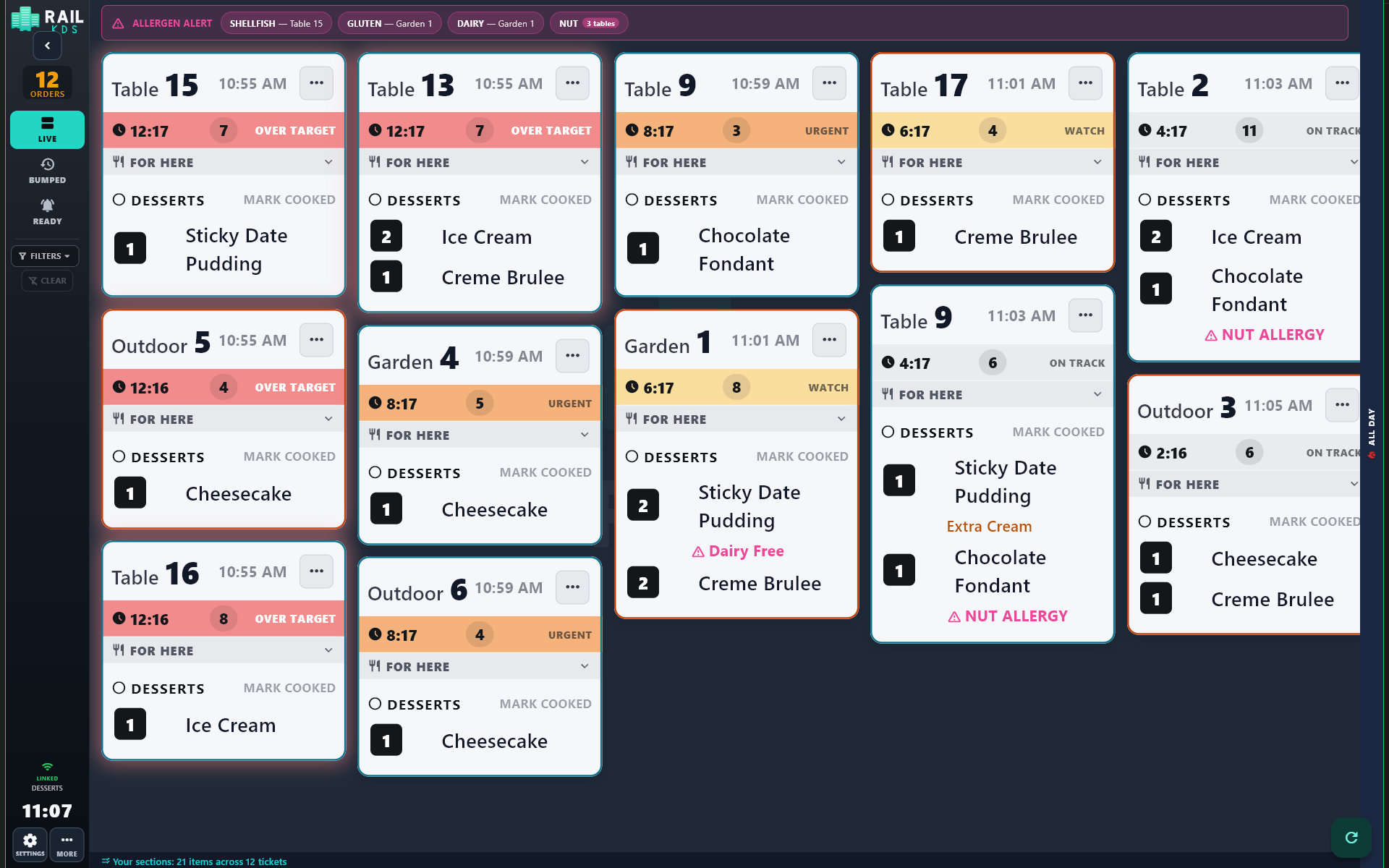
Big table names, big item names, a timer that changes colour from ON TRACK to WATCH to OVER TARGET, and modifiers in colour so "no onion" never gets lost.

RAIL KDS board with colour-coded timers and coloured modifiers
Colour-coded timers and modifiers.
Stations

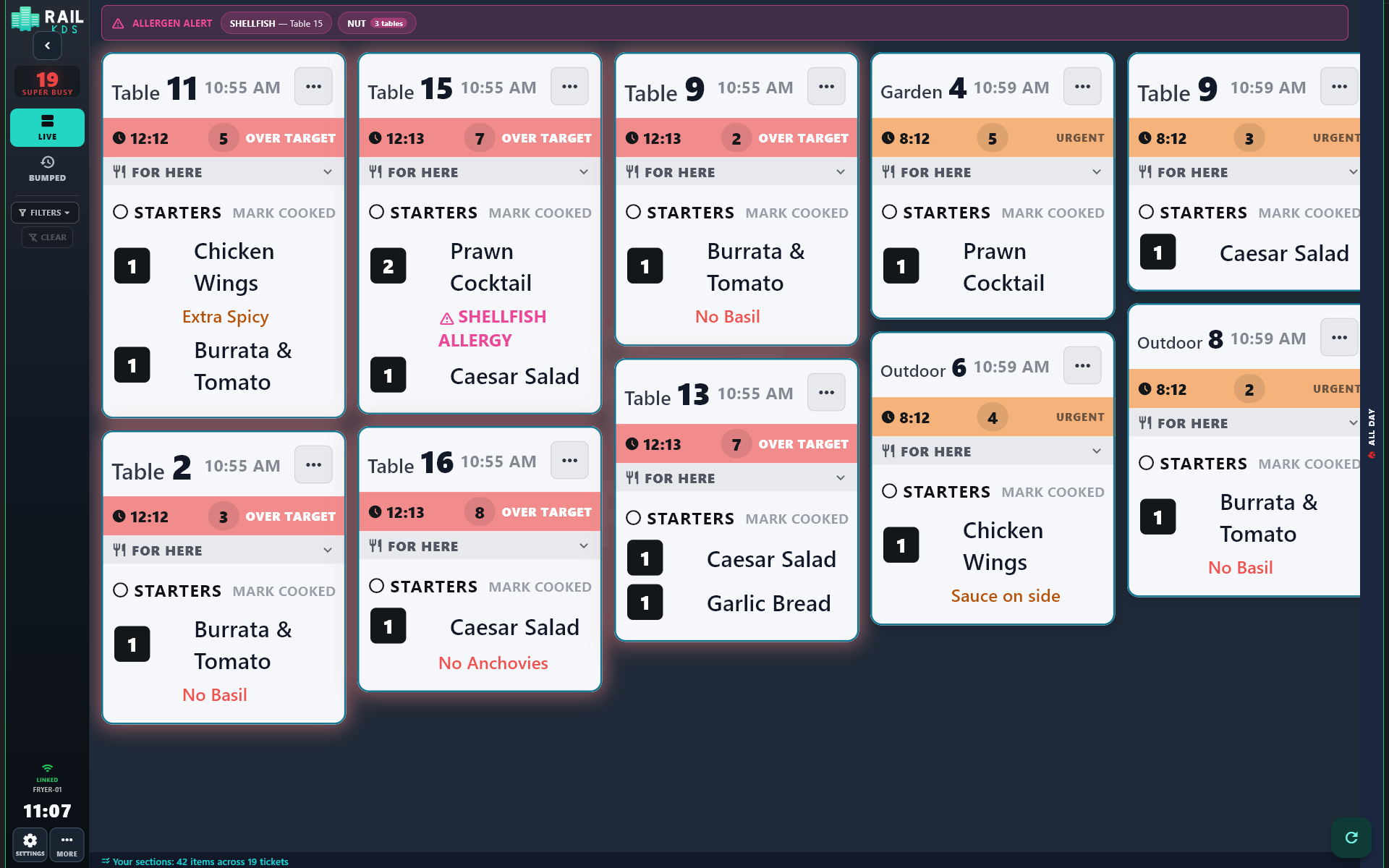
The grill sees the grill. The fryer sees the fryer.

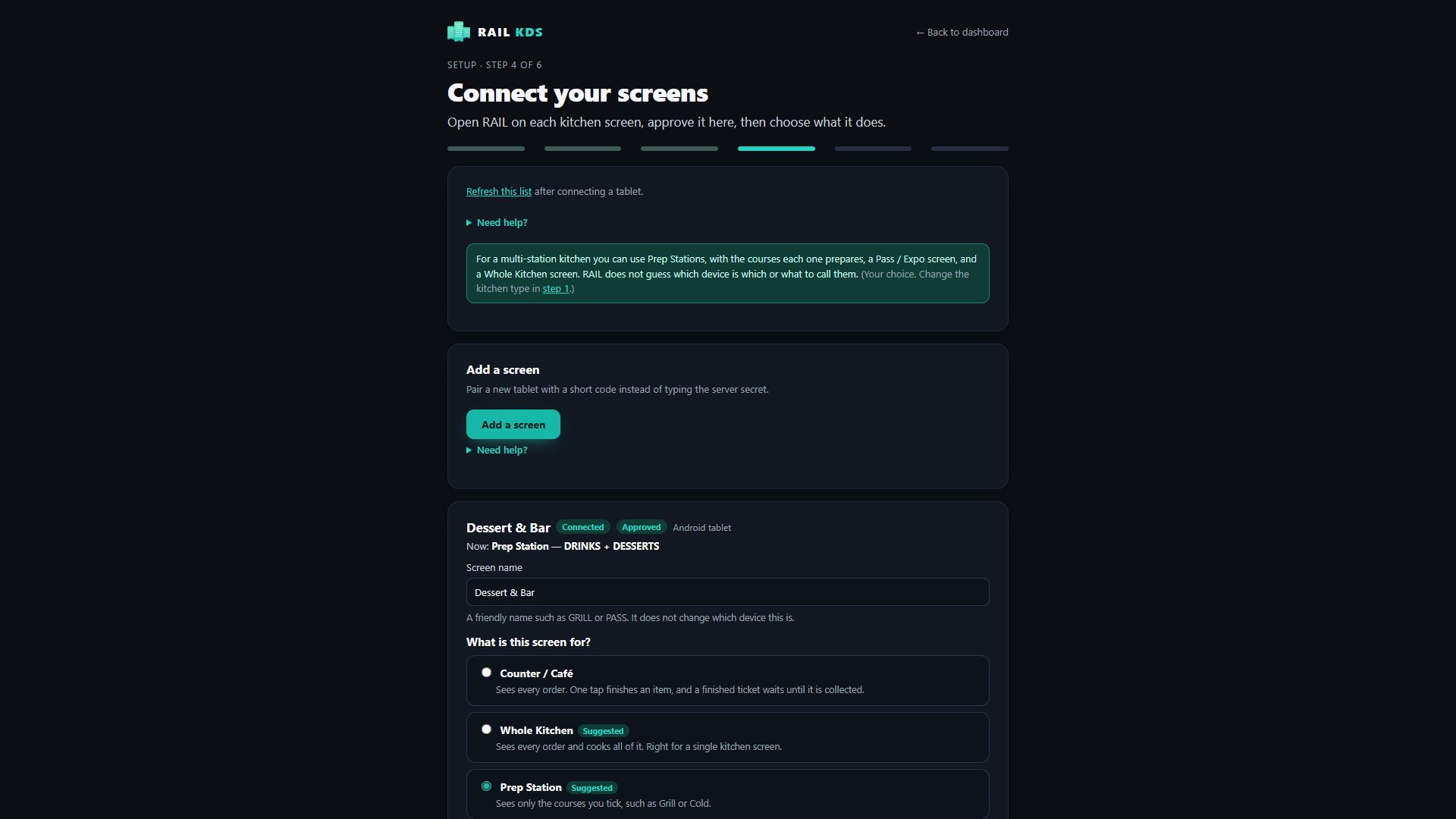
Assign each screen a job: everything, selected courses, or the pass. Cooks stop reading past what is not theirs.

Fryer station screen showing only fryer itemsDessert station screen showing only dessert items
Fryer and dessert stations, side by side.
The pass

The Ready Board tells the pass when a course is ready.

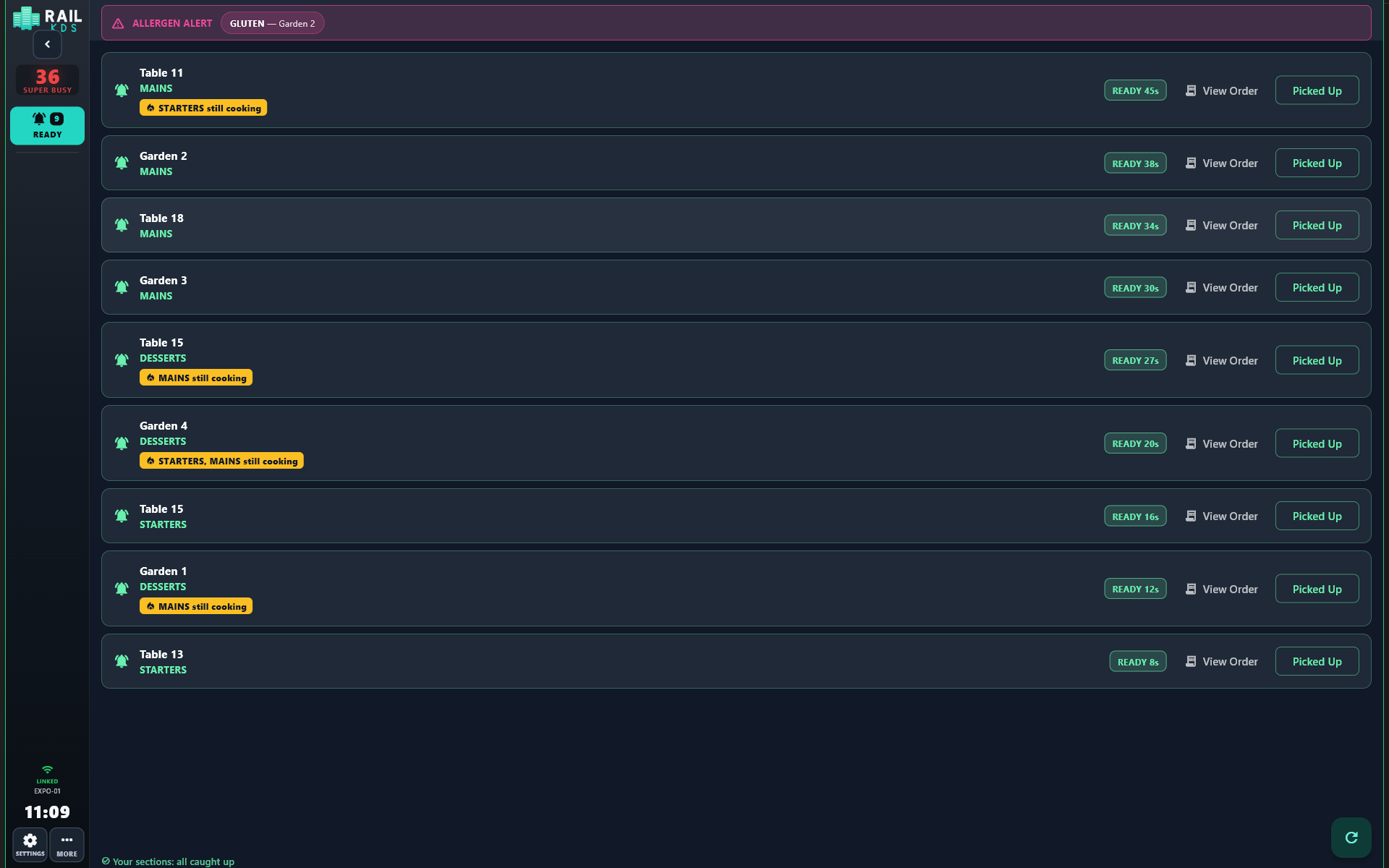
When every station has finished a course for a table, the Ready Board raises it: "Table 12, MAINS ready". Pick up, plate, go.

Pass screen showing courses ready by table
The pass sees what is ready.
All Day

"Fire six burgers." Know before you ask.

The All Day panel totals every item still to cook across every open ticket, so the grill can batch and the pass can call it.

All Day panel totalling items still to cook
Know what is still to fire.
Safety

Allergen alerts you can't miss.

Set your keywords once — gluten, nut, shellfish, dairy. When a ticket matches, a banner shows the table and the cooks hear it. Visible and audible across the line.

Board shot with allergen banner visible at the top of the screen
Allergen banner across the top.
Courses

Courses that arrive when you want them.

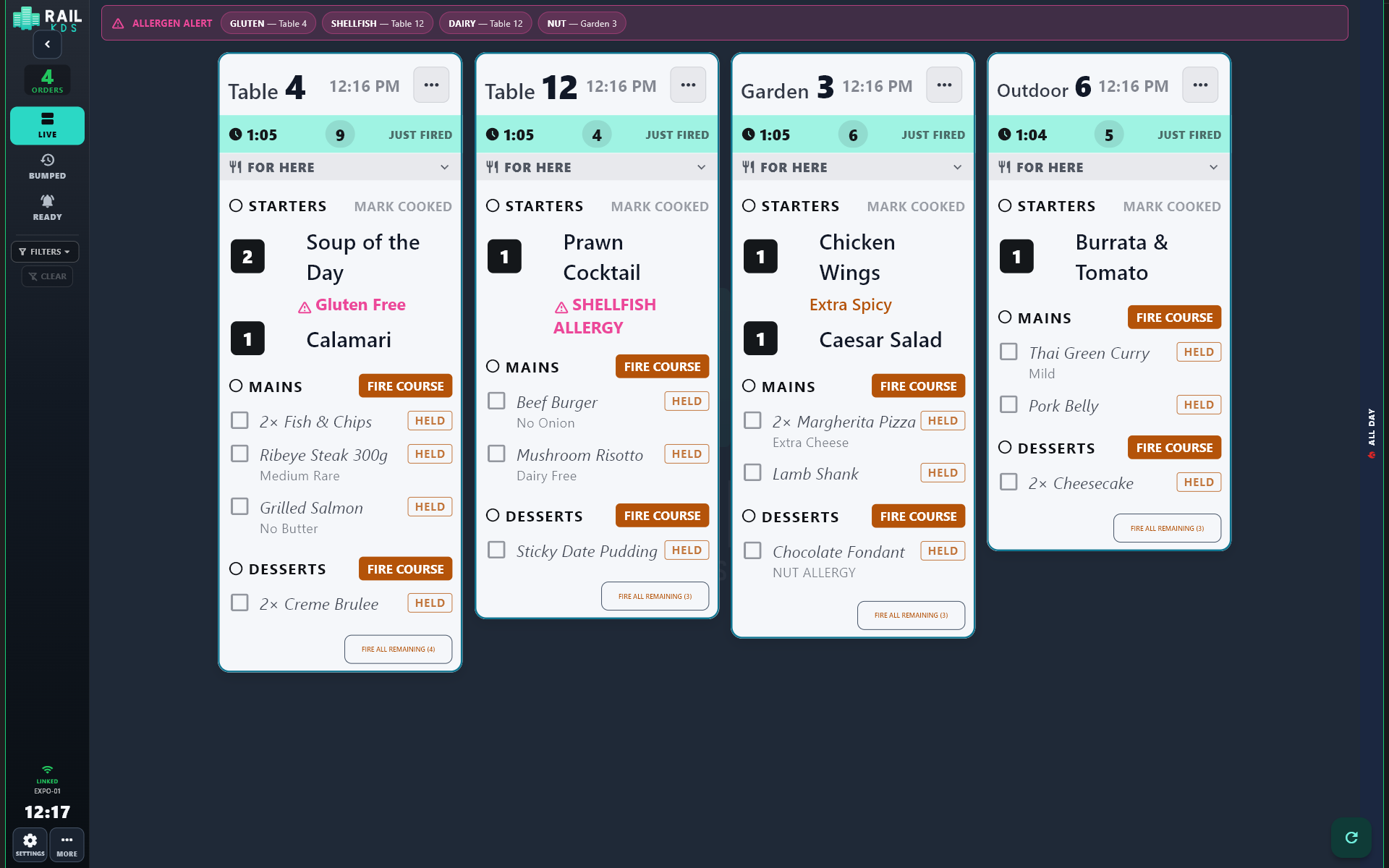
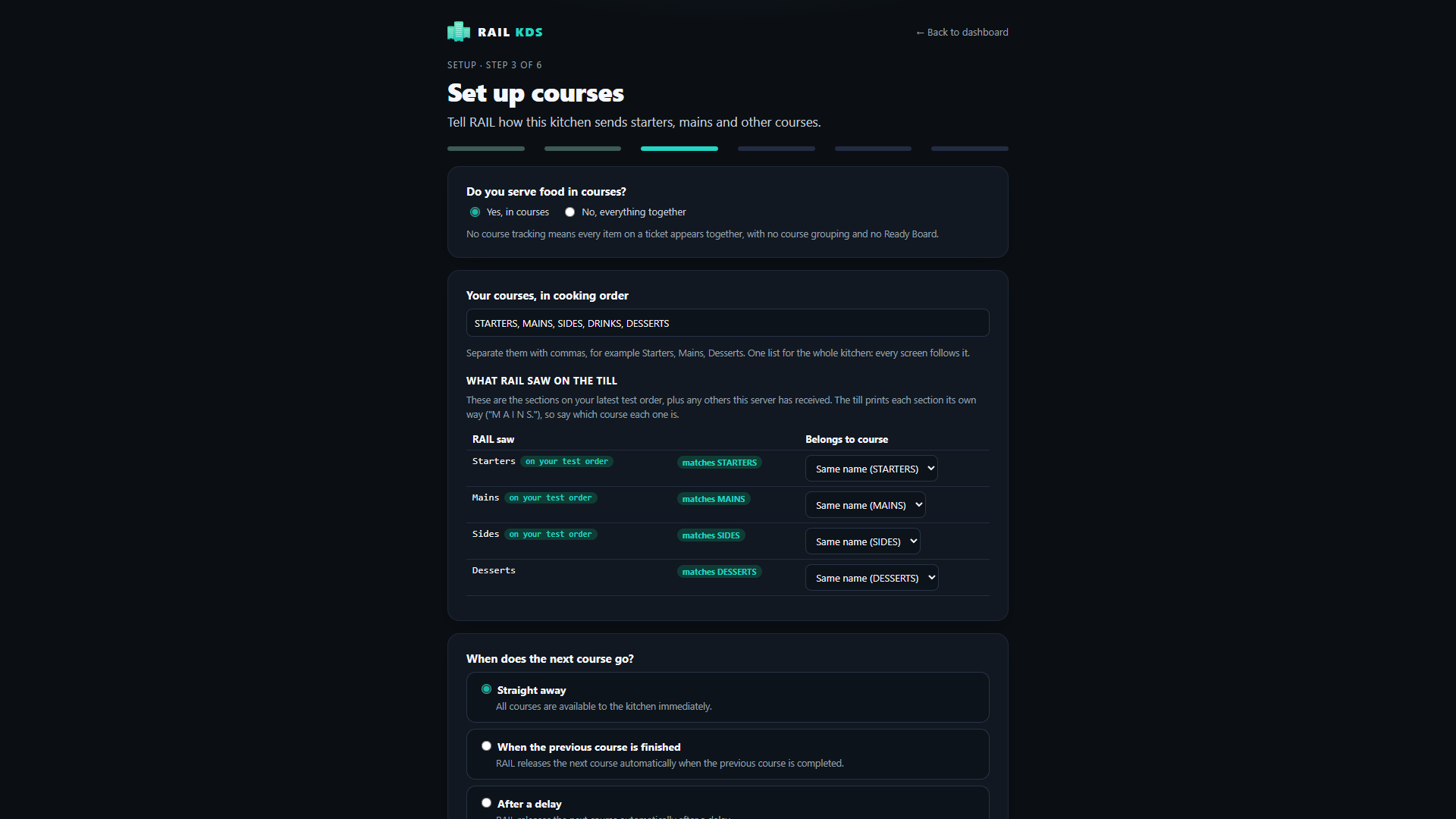
Fire everything at once, wait for the previous course, wait a set time, or hold courses until the pass fires them.

Hold and fire controls holding courses on a station
Hold, fire, release — from the pass.
Control

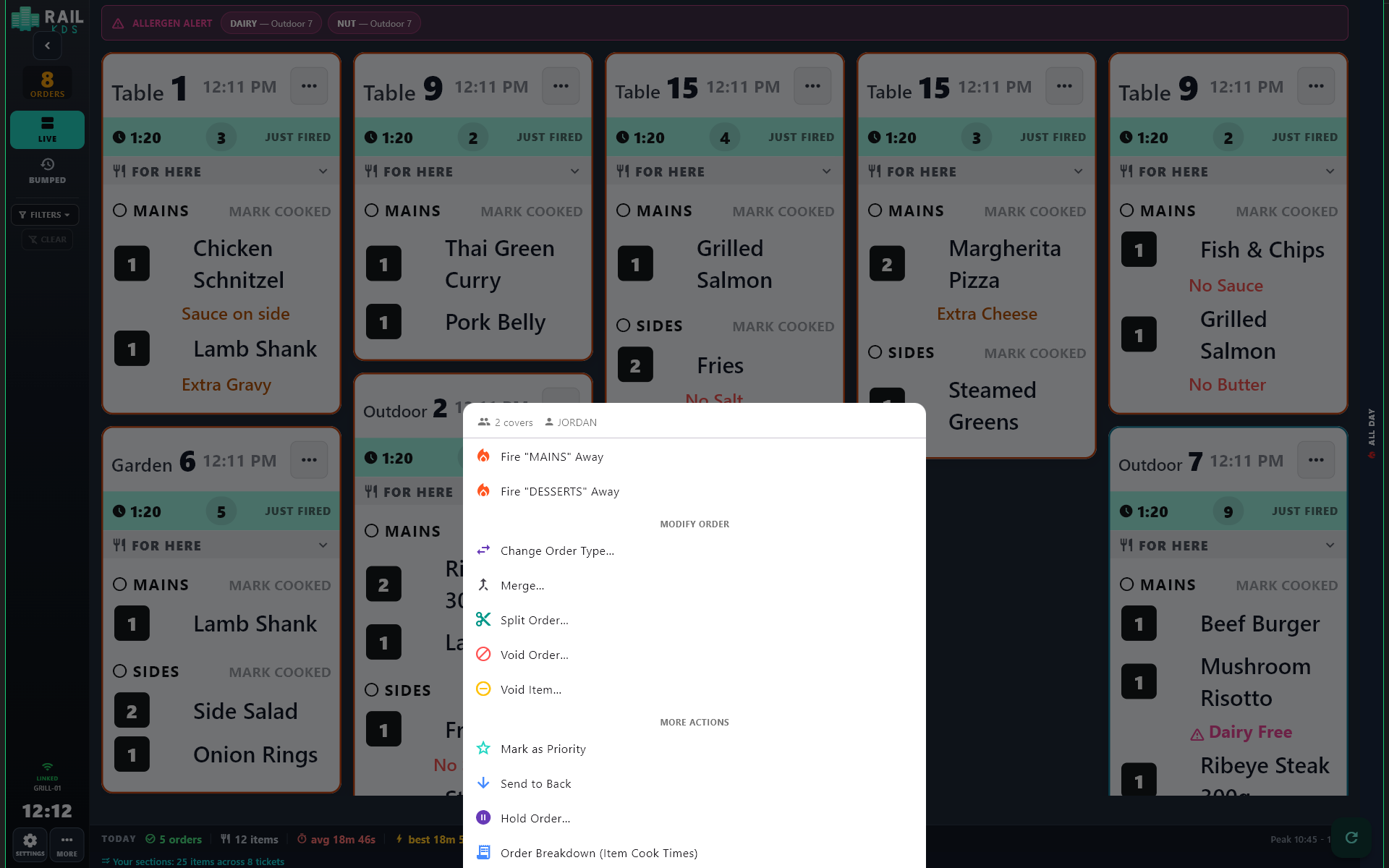
Merge, split, hold, void, re-prioritise.

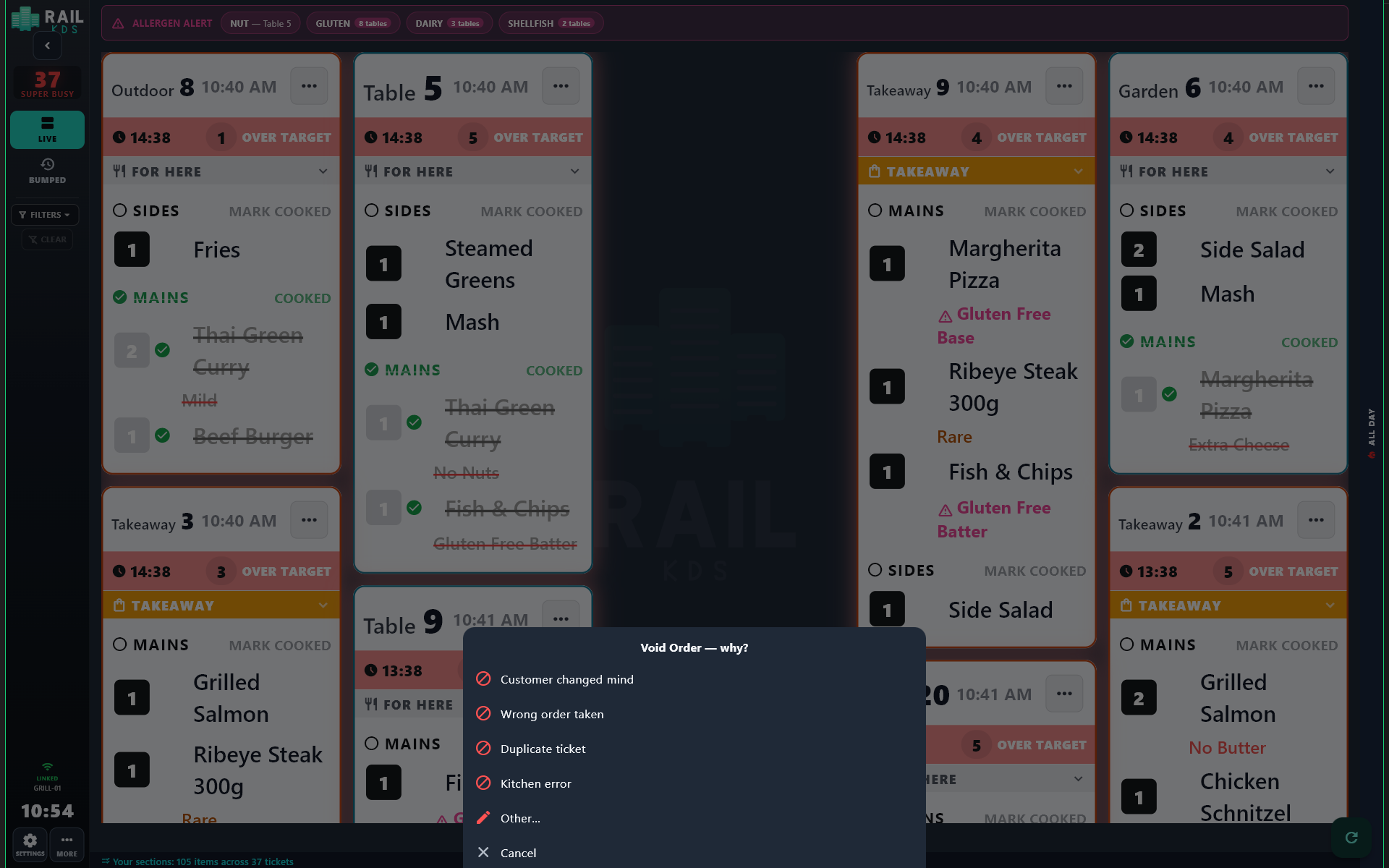
Combine two tickets for one table, split a ticket in two, send one to the back, mark one as priority, void an item or a whole order with a recorded reason.

Ticket menu with fire, merge, split, void, priority and hold actionsVoid reasons list recording why an item was voided
Real control over every ticket.
Mistake-proofing

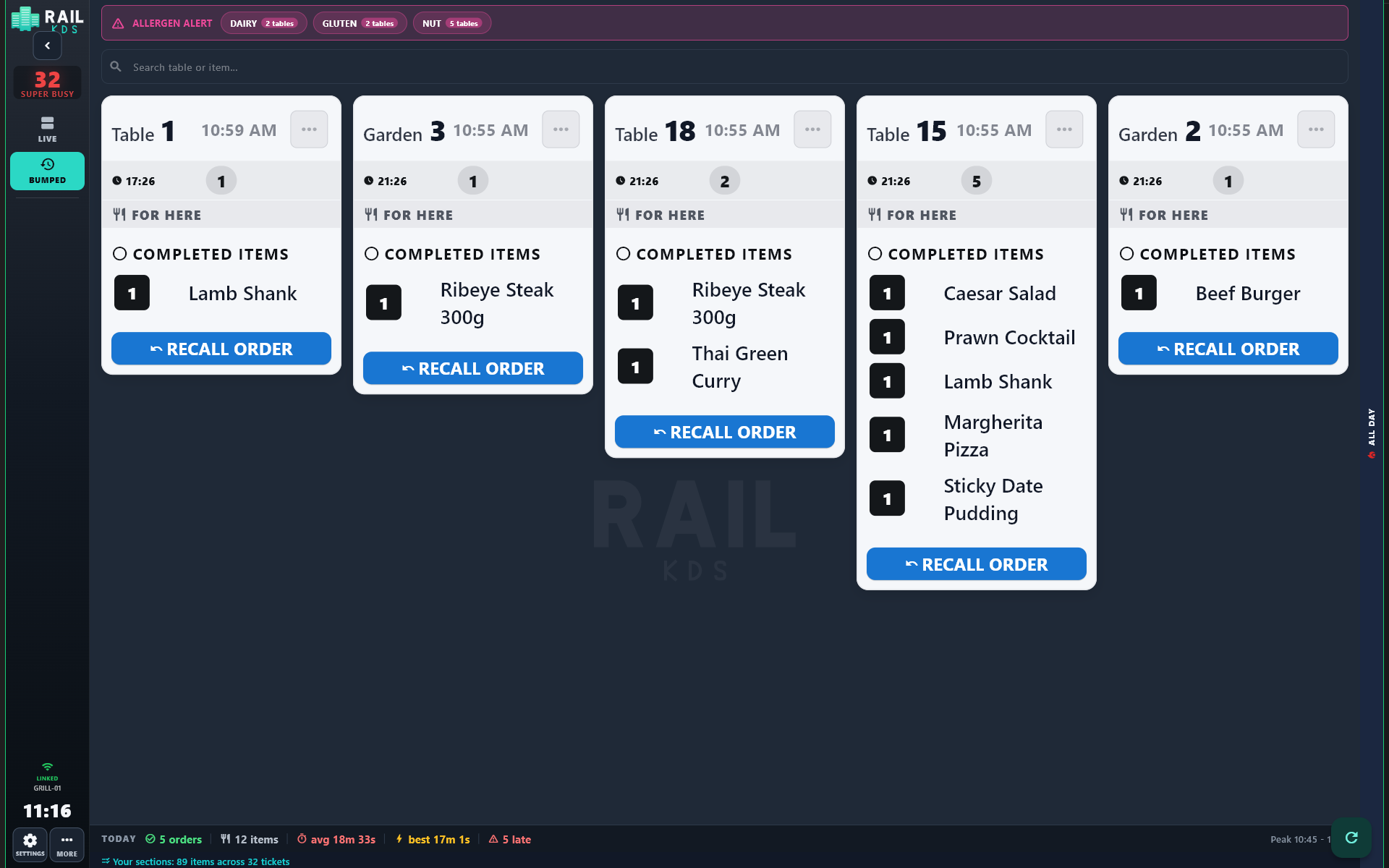
Bumped by mistake? Recall it.

A recalled ticket comes back with its progress kept. Recall works for 30 minutes after the bump and survives a server restart.

Recalled ticket returning to the board with progress kept
Recall without losing progress.
Reliability

The Wi-Fi drops. Service doesn't.

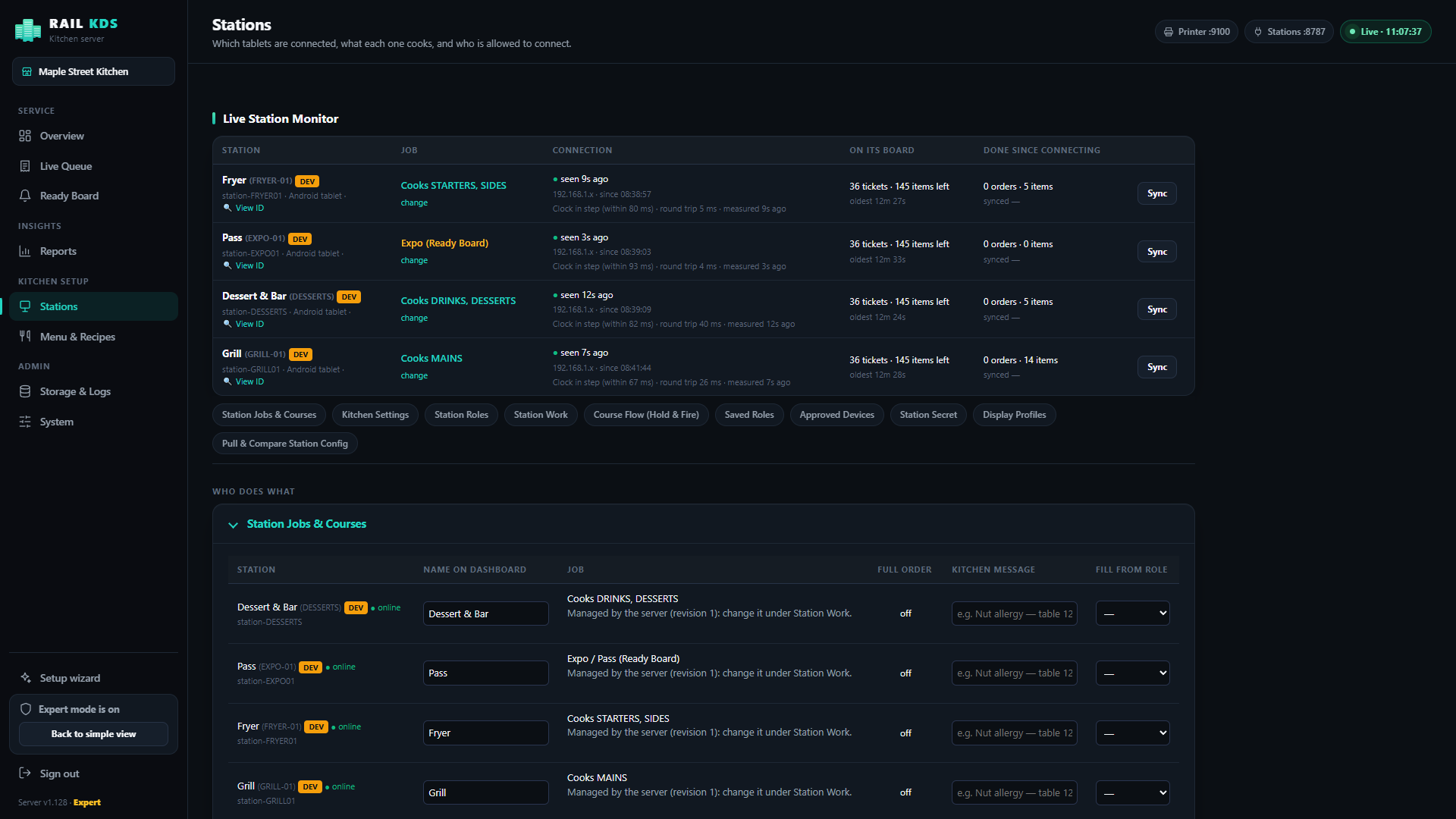
Every tablet keeps its own copy of its tickets and syncs when the server returns — no duplicates, no ghost tickets. And it all runs on your local network, not the internet.

Dashboard showing stations connected and live
Stations monitored live.
Owner's view

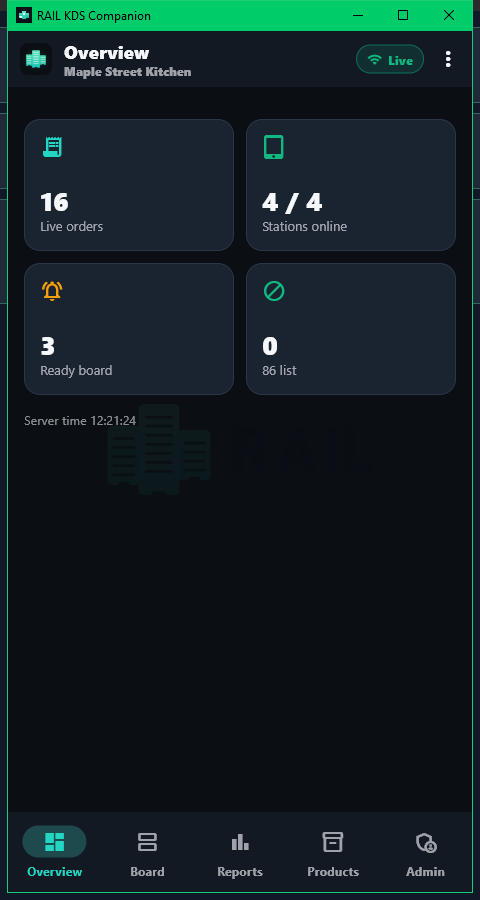
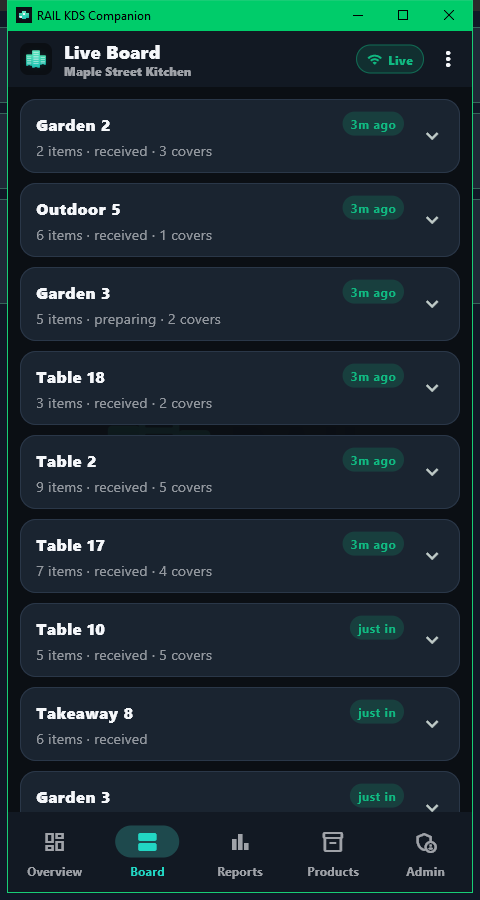
Know how the night went, from your phone.

Live orders, stations online, ready board, speed by hour, station performance, top items. Read-only by design, so a stray tap cannot disturb service.

Companion phone app overviewCompanion phone app live board
The Companion app. Demo data shown.
Reports

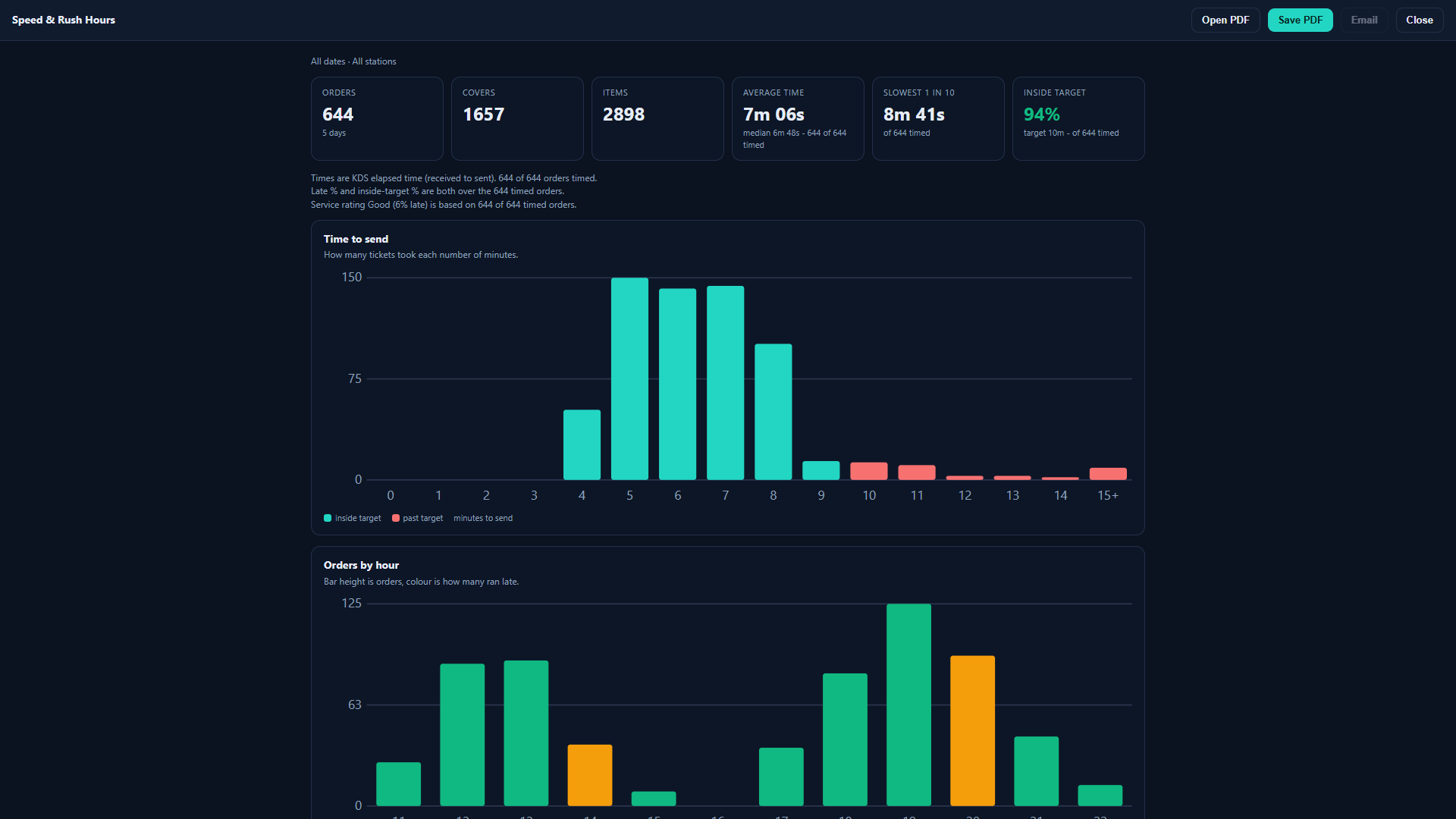
Rush hours, station speed, slow dishes.

Service summary, speed and rush-hour chart, station and menu performance, plus CSV and JSONL export. Your data stays yours — on your server.

Orders by hour chart with late share colour
Know your rush hours. Demo data shown.
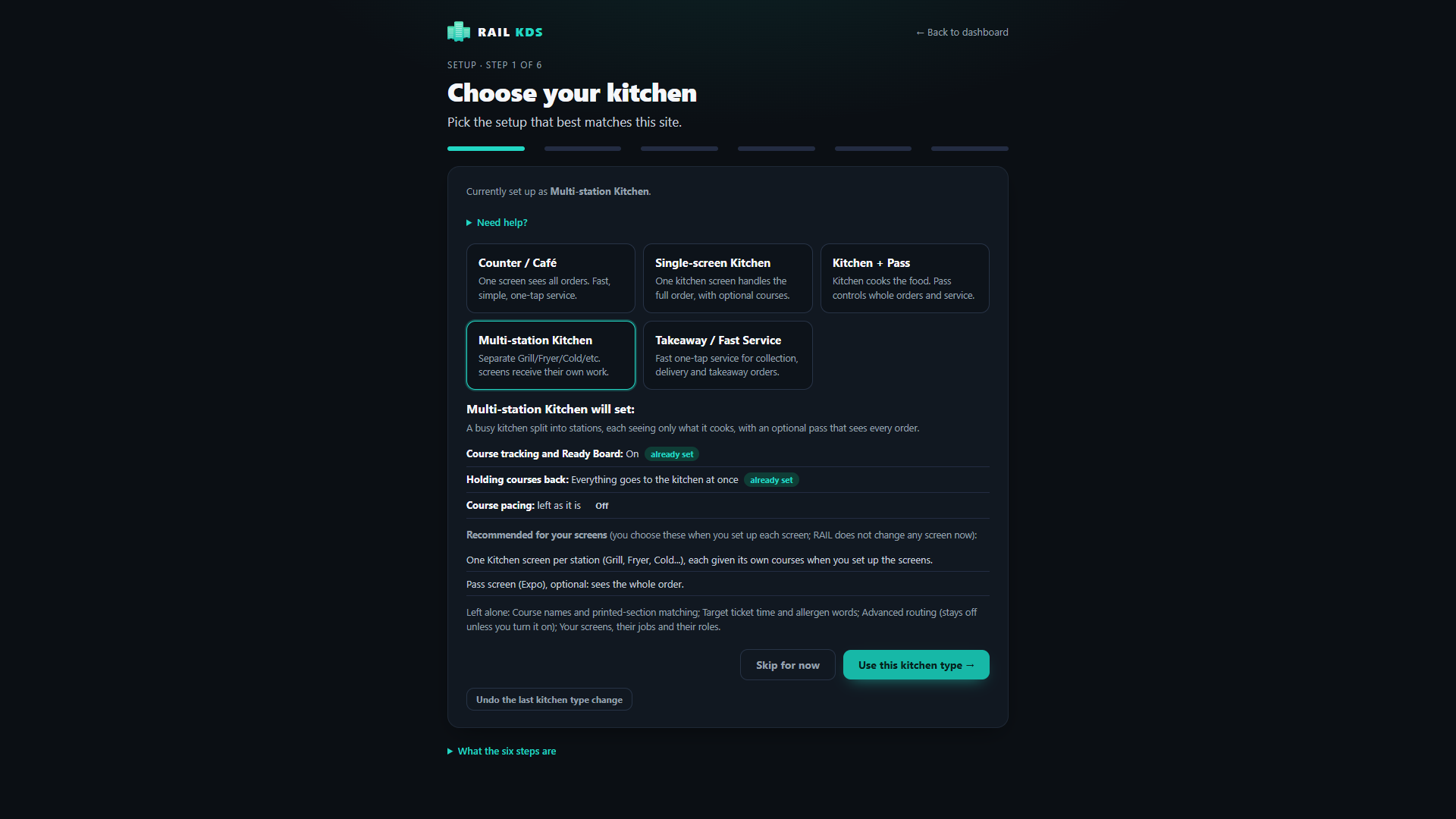
Setup

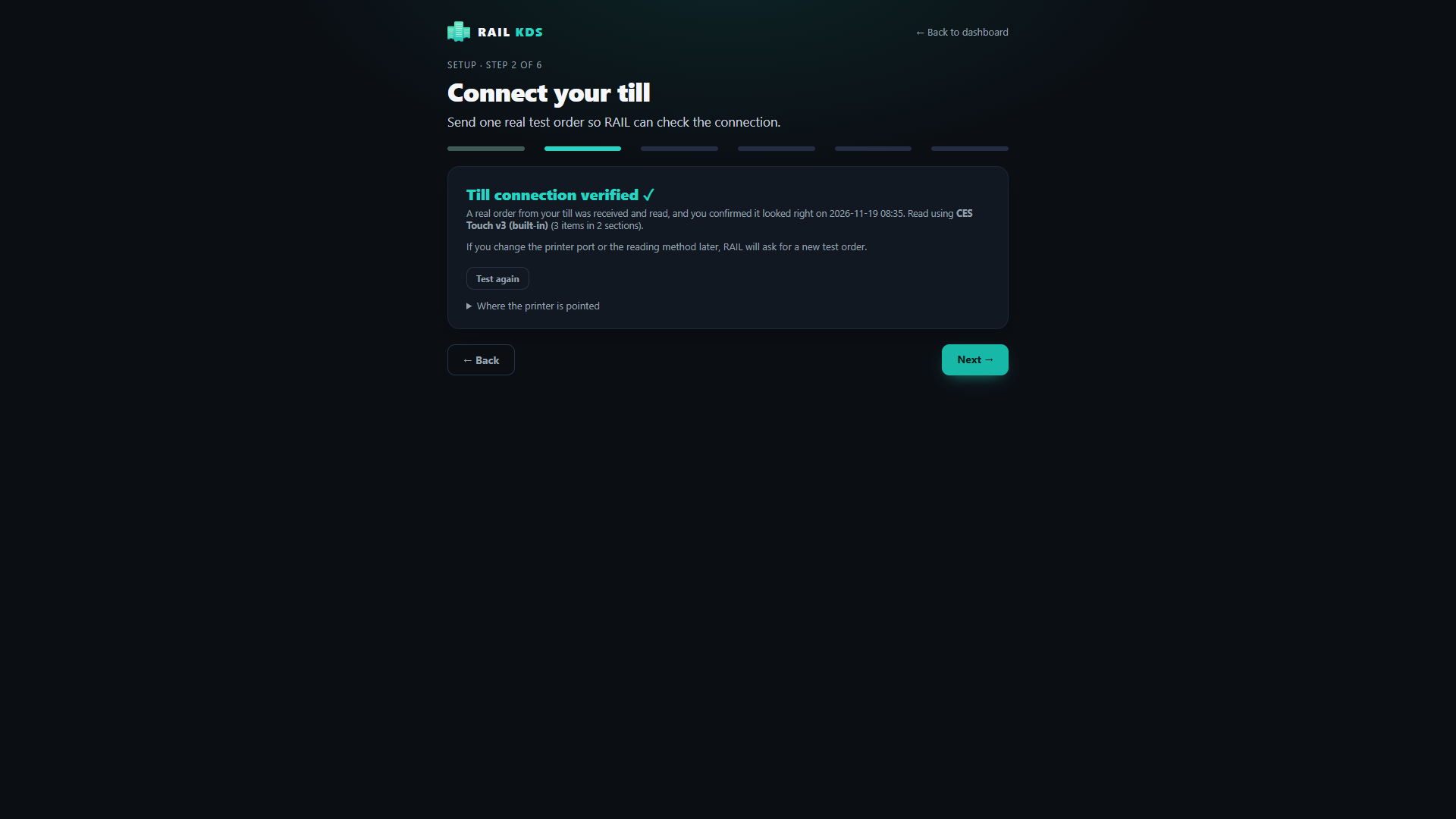
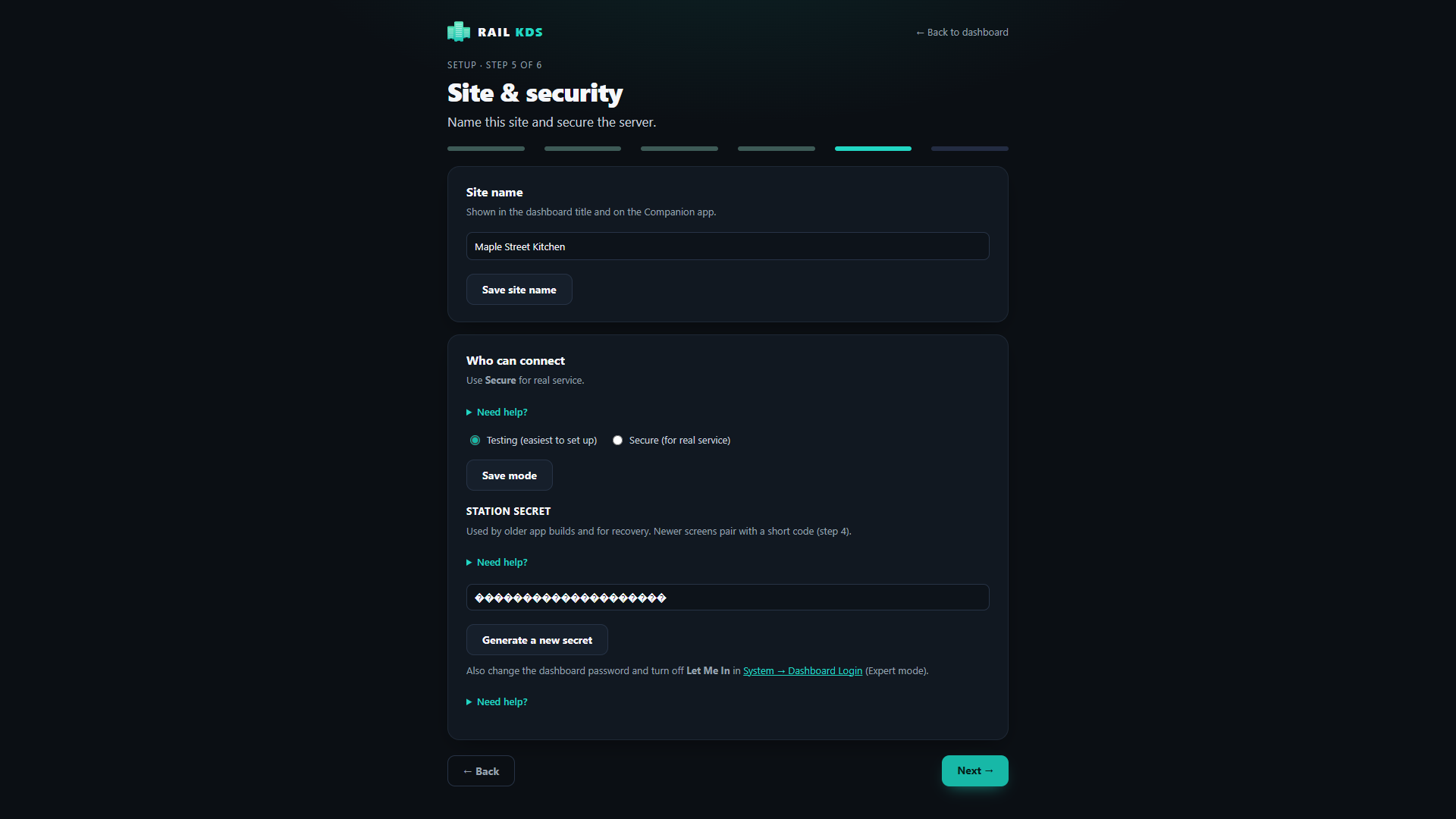
A six-step wizard, and a real test order before you go live.

Choose your kitchen type, connect the till, set courses, name your screens, set security, then check readiness with a real bump and recall. An afternoon, not a project.

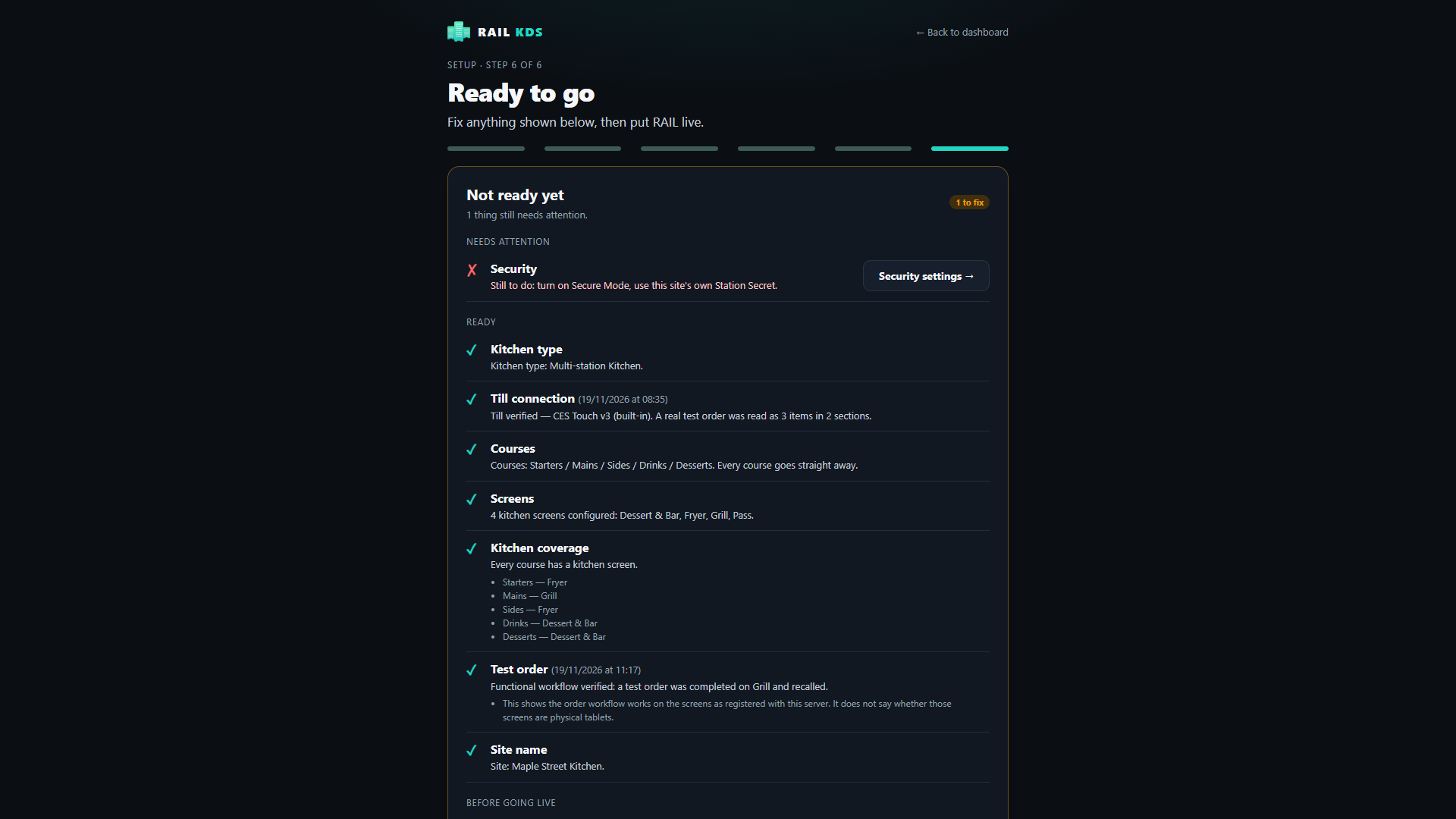
Setup wizard step 1: kitchen type Setup wizard step 2: till connection Setup wizard step 3: courses Setup wizard step 4: screens Setup wizard step 5: site security Setup wizard step 6: readiness check
Dashboard overview with stations connected and today's figures
The whole kitchen at a glance. Demo data shown.

Works with your till

RAIL takes the docket your till already prints. No front-of-house changes.

Tested & supported today

CES Touch

RAIL KDS is in live use with CES Touch. Your till prints the kitchen docket straight to RAIL, like a network printer.

More integrations coming soon
  • Till prints as normal — front of house keeps the screens they know
  • Bespoke setups matched to your kitchen, on request
  • Keep your kitchen printer as a fallback while you pilot
Setup wizard connecting the till to RAIL KDS
Connecting the till in the setup wizard.

Questions kitchens actually ask

Straight answers, no sales gloss.

Do I need a new till?
No. RAIL sits where the kitchen printer sits. The till prints the kitchen docket to it over the network. The supported till today is CES Touch; other tills would need their own set-up and are not promised.
What hardware do I need?
One Windows PC for the server (always on during service), tablets or a Windows PC for each station (10-inch Android tablets are what is used), and a local network.
Does it need the internet?
No. It runs on your local network. It is designed for a trusted network; it is not a cloud service.
What if the network or the server goes down?
Tablets keep working on their own tickets and sync when it returns.
Can I keep my printer?
Yes — and you should while you pilot. It stays as your fallback.
Can the owner bump or change orders from the phone app?
No. The Companion app is for viewing and administration. Bump and recall stay on the kitchen screens, where they belong.
How many sites?
One server serves one site today.
When can I get it?
It is in live use now, and pilots open in Ireland soon. Join the early access list and we will be in touch as places open.
Register your interest

Piloting in Ireland soon. Places are limited — join the list and we'll be in touch as your area opens.

No spam. One email when pilots open near you — that's it.